
Published on PetSupplyGo.com | Affiliate Disclosure: As an Amazon Associate we earn from qualifying purchases. This costs you nothing extra and helps us keep these guides free.
You’ve got a big yard, a dog who loves to roam and a quote for a wooden or metal fence that costs more than your last car repair. Or you rent and can’t put up a fence at all. Or your HOA bans fences. Or you live on five acres and your dog’s version of “staying close” is anywhere within sight of the road.
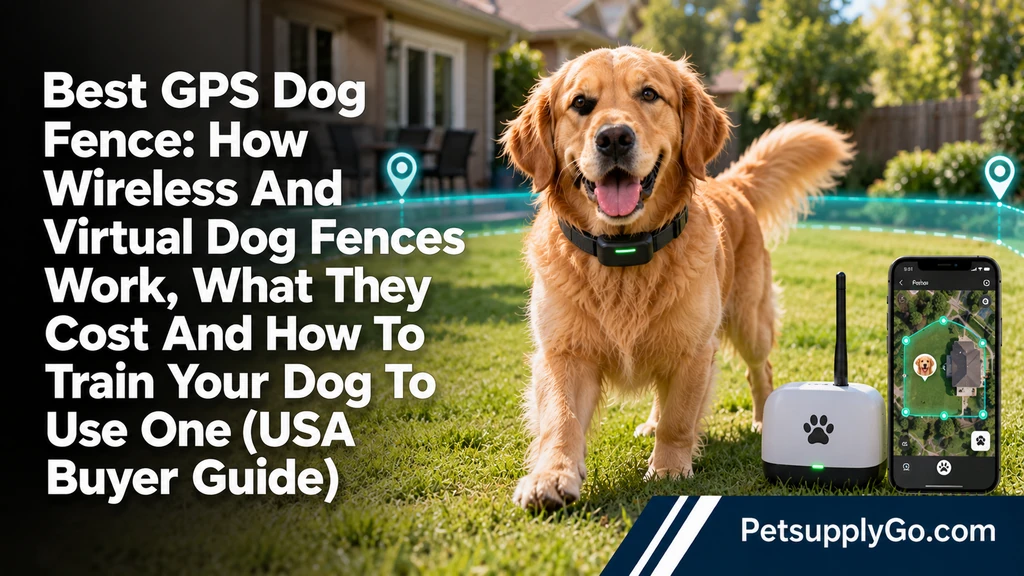
That’s why GPS dog fences, also called virtual or wireless dog fences, have exploded in popularity. A collar uses satellite signals to know where your dog is. You draw a boundary on a phone app. If your dog nears the edge, the collar warns them with a tone, then vibration or a mild correction, depending on the system. No digging, no wires, no posts.
It sounds almost too good to be true, and for some homes and some dogs it isn’t. For others it’s a poor fit, an expensive disappointment or even unsafe. A virtual fence doesn’t physically stop a dog. It asks the dog to respect an invisible line, and a determined, scared or excited dog can run through it.
The best GPS dog fence for most owners is one with accurate boundaries, reliable battery life, clear training tools, a collar that fits your dog’s size and a plan you can afford, including any subscription. For small, open suburban yards, a simpler radio-based wireless fence may do the job. For acreage, odd-shaped yards and renters, a GPS system is usually the better choice. For dogs who chase wildlife or bolt when frightened, no electronic fence is enough on its own.
This guide explains how each type of dog fence works, who each one suits, what they really cost, how to train your dog step by step, the safety and ethical points you should think through, what can go wrong and what to use instead if an electronic fence isn’t right for your dog.
Quick Answer: Which Dog Fence System Fits Your Situation?
| Your situation | Best fit | Why |
|---|---|---|
| Large yard or acreage | GPS virtual fence | No wires, large boundaries |
| Small, open suburban yard | Radio-based wireless fence or GPS | Simple setup, lower cost |
| Wooded property | GPS fence with strong tree-cover performance | GPS can drift under heavy canopy |
| Renter, can’t dig | GPS or portable wireless fence | No installation |
| HOA bans fences | GPS virtual fence | Nothing visible |
| Odd-shaped yard | GPS fence | Draw any shape |
| Travel, camping, lake house | Portable GPS fence | Set up anywhere |
| Dog who bolts at wildlife | Physical fence plus training | Electronic fences can fail under high arousal |
| Small dog | A lightweight collar, with weight limits checked | Heavy collars don’t suit tiny dogs |
| Multiple dogs | One collar per dog | Each dog needs its own |
| Tight budget | Radio wireless fence | Lower upfront cost |
| You want the most reliable containment | Physical fence | Nothing beats a solid barrier |
If you want one rule of thumb, choose a physical fence when you can afford one, and use a GPS or wireless fence when you can’t, or as a backup layer.
What Is a GPS Dog Fence and How Does It Work?
A GPS dog fence has two main parts: a collar and an app.
The collar. It contains a GPS receiver, a processor, a battery and a way to give your dog feedback, such as tones, vibration or a mild static correction. Many also have cellular or Bluetooth connections.
The app. You use your phone to draw a virtual boundary on a map, often by walking the edge of your property or placing points on a satellite image. The collar stores the boundary.
The warning system. When your dog moves toward the boundary, the collar usually warns first with a sound. If your dog keeps going, the collar adds vibration or a correction, depending on the system and settings. When your dog turns back, the feedback stops.
Tracking and alerts. If your dog crosses the boundary, many systems send an alert to your phone. Some track the dog’s location in real time, though that may need a cellular connection and a subscription.
Accuracy. GPS isn’t perfect. It can drift by several feet, especially near tall buildings, dense trees, steep slopes and large metal objects. Quality collars use multiple satellite networks and filtering to reduce drift, but no system is exact to the inch.
Training is essential. The collar only works if your dog understands what the warning means. Every reputable system comes with a training plan. Skipping training is the most common reason these fences fail.
Types of Dog Fences Compared
1. GPS Virtual Fence
A collar uses satellites to know where your dog is and compares it to a boundary you draw in an app.
Best for: Large yards, acreage, odd shapes, renters, travel.
Pros: No wires or digging, flexible boundaries, portable, tracking on many models.
Cons: Costly. May need a subscription. GPS drift. Needs good sky view. Battery must be charged. Not a physical barrier.
2. Radio-Based Wireless Fence
A transmitter plugs into an outlet and creates a circular zone, often about a few hundred feet across, depending on the model. A receiver collar warns your dog near the edge.
Best for: Small to medium open yards, simple setup, lower budgets.
Pros: Cheaper, easy to set up, no subscription.
Cons: Circular boundary only, the transmitter must stay powered, signals can be affected by terrain, walls and metal, and the boundary isn’t customizable.
3. In-Ground (Buried Wire) Fence
A wire is buried or laid around your property and connected to a transmitter. A receiver collar warns your dog near the wire.
Best for: Permanent boundaries, predictable shape, owners who want proven technology.
Pros: Often very consistent, no GPS drift, long track record.
Cons: Installation takes effort, wire can break, hard to change shapes, can be affected by rocks or utilities, not portable.
4. Physical Fence
Wood, vinyl, chain link, wire or other barriers.
Best for: Dogs who bolt, high-drive dogs, households with kids or visitors, anyone who wants the strongest containment.
Pros: Stops dogs, keeps other animals out, no batteries or collars, no training required for the fence itself.
Cons: Expensive, may be restricted by HOAs or rental rules, needs maintenance, gaps and digging can be problems.
5. Hybrid Approach
Many owners combine a physical fence for the main yard with a virtual fence for the back of the property, or use a GPS collar inside a fenced yard as a backup tracker.
Best for: Large properties, dogs who test boundaries.
6. Tie-Outs and Trolley Lines
A cable or line that lets your dog roam within a limited area.
Best for: Short-term supervised use only.
Cons: Dogs can tangle or be injured, and they shouldn’t be left unattended. Many experts discourage long-term tie-outs.
GPS vs Radio Wireless vs In-Ground Fence
Accuracy: In-ground wire is often the most consistent. GPS can be very good in open areas, but drifts in trees and valleys. Radio fences give a rough circle.
Setup: Radio fences are the easiest. GPS fences need app setup and mapping. In-ground fences need digging or laying wire.
Flexibility: GPS wins, since you can draw any shape and change it at will. Radio fences are fixed circles. In-ground fences are fixed paths.
Portability: GPS and some radio systems can move with you. In-ground fences can’t.
Cost: Radio fences usually cost the least upfront. GPS systems cost more, and some require subscriptions. In-ground fences vary with yard size and installation.
Property size: GPS suits large areas. Radio fences suit small to medium areas. In-ground fences can cover large areas, with enough wire.
Reliability under stress: All electronic fences can fail when a dog is very excited, scared or chasing something. A physical fence is still the most dependable.
The Honest Pros and Cons of GPS Dog Fences
Pros:
- No digging or building
- Draw almost any shape
- Works for renters and HOA properties
- Can protect large areas
- Often includes location tracking
- Many include training guidance
- Portable for travel
- Alerts if your dog leaves the boundary on many models
Cons:
- Expensive upfront and sometimes monthly
- GPS drift and signal problems
- Needs charging and maintenance
- Needs careful training
- A determined or frightened dog can run through
- Doesn’t keep other animals or people out
- Doesn’t protect against theft
- Collar size and weight may not suit small dogs
- Some dogs dislike wearing a heavy collar
- Phone, app and cell coverage may matter
- Ethical concerns about correction-based training
A GPS fence is a tool with real trade-offs. It’s strongest as part of a bigger safety plan.
Who Should and Shouldn’t Use an Electronic Dog Fence
Good Candidates
- Dogs with a steady temperament who respond well to training
- Owners with large yards or acreage
- Renters and HOA residents who can’t build a fence
- Dogs who tend to wander but don’t chase prey at full speed
- Households committed to the full training process
- Owners who also use a secure leash or supervision outside the fence
Poor Candidates
- Dogs with high prey drive who chase squirrels, deer or cars
- Dogs who panic at loud noises or sudden movement
- Aggressive dogs or dogs who may charge at passersby
- Very young puppies, since many brands set minimum ages and weights
- Very small dogs where the collar is too heavy
- Elderly or ill dogs, unless your vet approves
- Dogs with certain medical or skin conditions
- Dogs who are anxious or fearful
- Households unwilling to train
Important Notes
- Check minimums. Most manufacturers list minimum weight and age. Follow them.
- Talk to your vet or a trainer. Especially if your dog is anxious, reactive or has health issues.
- Never rely only on the fence. Supervise your dog outdoors, and keep identification on your dog.
- Check local rules. Some HOAs, communities or rental agreements have rules about fences, collars or noise.
Matching a Dog Fence to Your Property
Small Suburban Yard
A radio wireless fence or a GPS fence can work. Small yards may challenge GPS accuracy because your boundary is close to your house and neighbors. A physical fence may be more practical if your budget allows.
Large Yard
GPS fences shine here. Draw large boundaries, and make sure your dog gets proper training. Confirm the collar’s maximum fence size.
Acreage and Rural Property
A GPS fence offers freedom, but wildlife, hills and trees can complicate things. Combine the fence with supervision, and consider a physical fence near roads.
Wooded Property
Heavy tree cover can interfere with GPS signals. Look for systems that handle trees well, and test in different parts of your property. Boundaries near dense canopy may need extra buffer room.
Hilly or Uneven Terrain
Hills and valleys can affect GPS and radio signals. Test the boundary on foot, and adjust as needed.
Renters
A GPS fence needs no digging, so it’s often the best electronic option. Check your lease for any collar or noise rules.
HOA Communities
If fences are banned, a GPS fence can work, but check HOA rules about outdoor pets and collars.
Lake Houses, Cabins and Camping
Portable GPS fences let you create temporary boundaries wherever you go.
Multi-Dog Households
Each dog needs its own collar. Training takes longer, since dogs can influence each other. Introduce the fence to each dog separately first.
Properties Near Busy Roads
Be cautious. An electronic fence may not stop a frightened or excited dog from running into traffic. A physical fence is much safer near roads.
Features That Matter When Choosing a GPS Dog Fence
Accuracy and drift handling. Look for systems that use multiple satellite networks and filtering. Read independent reviews, not only the brand’s claims.
Tree-cover performance. If you have woods, look for specific reviews from owners with similar terrain.
Battery life. Check real-world battery life, charging time and what happens when the battery runs low. Some collars send low-battery alerts.
Weather resistance. Look for waterproof or water-resistant collars, especially if your dog swims or you live in a wet climate.
Collar size and weight. Check the manufacturer’s minimum dog weight and neck size. A heavy collar can be uncomfortable for small dogs.
Feedback options. Systems vary in tone, vibration and static options. Choose one that fits your training approach, and look for adjustable levels.
Training tools. Good systems include step-by-step training plans, flags and app guidance.
Number of fences. Some allow multiple fences, shapes and keep-out zones. Check plan limits.
Maximum fence size. Confirm how large the boundary can be.
Subscription requirements. Know what’s included in the price and what costs extra. Check the cost of plans over several years.
Cellular coverage. Tracking and alerts may need cellular service where you live.
Alerts and tracking. Real-time location, escape alerts and history logs are useful.
App quality. Read recent reviews of the app, since you’ll use it daily.
Warranty and returns. Electronic devices can fail. Look for a decent warranty and trial period.
Customer support. Responsive support matters, especially during training.
Multi-dog support. Check whether the system supports several collars, and how it handles them.
What Does a GPS Dog Fence Really Cost?
Costs vary, and brands change pricing often. Always check current prices and subscription terms.
Radio wireless fences: Often roughly $200 to $400 for a basic system, with no subscription.
GPS fences: Often roughly $500 to $1,000 or more per collar, depending on brand and model. Some include a subscription period or require ongoing plans. Others offer fence features without a monthly fee, with optional tracking plans.
In-ground fences: Costs depend on yard size and whether you install it yourself or hire a professional. Expect several hundred to a few thousand dollars.
Physical fences: Often several thousand dollars or more, depending on material and length.
Hidden and recurring costs to consider:
- Monthly or annual subscription fees
- Replacement collars or batteries
- Additional collars for more dogs
- Replacement contact points and charging cables
- Training flags and extras
- Professional training help if you need it
Think in total cost. A cheaper collar with a monthly fee can cost more than a pricier collar without one after a few years. Compare the total cost over two to three years, and factor in the value of your dog’s safety.
Top Dog Fence Options to Consider
Brands update models and plans often. I’ve described each option by type and trade-offs, and you should confirm current features, prices and plans on the manufacturer site and in recent independent reviews before buying.
Halo Collar (GPS Virtual Fence and Tracking)
A popular GPS collar that combines a virtual fence with location tracking, training guidance and activity features. It’s known for an app-based approach and a training program.
Good for: Owners who want an all-in-one collar with tracking, training tools and flexible fences.
Pros: Feature-rich, strong app, tracking and training support, flexible fence drawing.
Cons: Costs more with a subscription plan. Features and fence limits can depend on the plan. Check current plan details and collar weight for your dog.
SpotOn GPS Fence
A GPS fence system that markets itself on accuracy, large-area boundaries and no subscription for core fence features. A tracking and recall feature is available as an add-on.
Good for: Large properties, owners who want to avoid a monthly fence fee.
Pros: Fence function without a required subscription, good for large areas, designed for varied terrain.
Cons: High upfront cost. Check what real-time tracking requires. The collar is on the larger side, so check weight limits for small dogs.
PetSafe Guardian GPS Fence
A GPS-based fence from a well-known pet safety brand. It’s a mid-range option for owners who like a familiar brand and simpler setup.
Good for: Open yards, owners who want a recognized brand.
Pros: Brand recognition, simpler approach, often lower cost than premium systems.
Cons: Some reviewers report lower precision in complex terrain than high-end competitors. Check the latest reviews and plan details.
PetSafe Stay & Play Wireless Fence
A popular radio-based wireless fence that creates a circular boundary around a transmitter. No subscription, easy setup.
Good for: Small to medium, open yards, budget buyers, temporary use.
Pros: Low cost, simple, no monthly fees, portable within a home.
Cons: Circular zone only. Signal can be affected by obstacles. Less precise than GPS in some conditions.
PetSafe In-Ground Fence Systems
A buried-wire containment system with a transmitter and receiver collar. It’s a long-standing option for permanent boundaries.
Good for: Owners who want a fixed, consistent boundary and don’t mind installation.
Pros: Consistent accuracy, no subscription, proven approach.
Cons: Installation effort, wire breaks, not portable, can’t easily redraw boundaries.
GPS Trackers Without Fences
If you only want to know where your dog is, a tracker without fence functions may be enough and may cost less. Our guide to GPS trackers for dogs covers options. [INTERNAL LINK: add your GPS tracker guide here]
A Note on Brand Claims
Many brands run comparison pages that favor their own products. Treat those pages as marketing. Look for independent reviews, owner feedback from similar terrain and recent updates, and read the fine print on accuracy claims, subscription terms and warranties.
How to Train Your Dog to Use a Virtual Fence
Training is the most important part. Skipping it is the most common mistake and the most common reason for failure. The exact steps vary by brand, so follow your system’s training program, and use these steps as a general guide. Many systems recommend about two weeks of structured training before your dog is left unsupervised near the boundary, and some dogs need longer.
Before You Start
- Check your dog’s health. Ask your vet if your dog is a good candidate.
- Fit the collar properly. It should be snug but comfortable, with the contact points touching the skin if the system uses them. Check the manual.
- Use positive reinforcement. Treats, praise and play should be part of every step.
- Plan the schedule. Choose a time when you can train daily without rushing.
- Prepare treats and a long leash.
Step 1: Set Up the Fence and Mark the Boundary
Draw your fence in the app, and place training flags along the boundary so your dog can see where it is. Flags help dogs link the warning with a visible line.
Step 2: Introduce the Collar With No Feedback
Let your dog wear the collar for short periods with the feedback turned off. Treat and play so the collar becomes normal.
Step 3: Teach the Warning Sound on a Leash
Walk your dog on a leash toward the boundary. When the warning tone sounds, guide your dog back with the leash and a happy voice. Reward immediately when your dog turns away.
Step 4: Add Vibration or Mild Feedback if Your System Uses It
Follow your system’s instructions. Start with the lowest level. Never use higher levels than needed. Stop if your dog seems scared or distressed.
Step 5: Practice Approaching From Different Angles
Walk your dog toward the boundary from different directions. Reward each correct turn. Dogs need to learn that the line works everywhere.
Step 6: Add Distractions Slowly
Toss a toy or have a helper walk by outside the boundary. Keep your dog on a leash. Reward turning away from distractions.
Step 7: Practice Off Leash Within the Fence
Once your dog responds well, let your dog explore the yard on a long line or while supervised. Watch closely. Reward good choices.
Step 8: Test With Supervised Temptations
Gradually test with real-world distractions, such as someone walking a dog on the sidewalk. Stay close, and be ready to intervene.
Step 9: Phase Out Flags Slowly
After several weeks of success, begin removing flags gradually, one at a time or by sections. Watch your dog’s behavior.
Step 10: Keep Practicing
Retest occasionally, especially after changes such as new fence shapes, seasonal changes or new distractions.
Training Tips
- Keep sessions short, five to fifteen minutes.
- End on a positive note.
- Don’t leave your dog alone outside until you’re confident, and even then, check on them.
- Watch body language. Freezing, cowering or panic means stop and reassess.
- Ask a certified trainer for help if progress stalls.
- Teach a reliable recall, so your dog comes when called. Our dog harness guide can help with leash training too.
Safety and Ethics: What to Think Through Before You Buy
Electronic fences raise real questions. A thoughtful decision protects your dog and your relationship with them.
Correction-based training is debated. Some trainers and veterinary behaviorists are cautious or opposed to devices that use static correction, because of potential stress, fear and unintended associations. Others consider them acceptable when used carefully and with training. Many virtual fence systems start with sounds and vibration. Learn what each collar offers, and choose settings and methods you’re comfortable with.
Fear and anxiety. A dog who is anxious or reactive may become more fearful if corrections are linked to the wrong things, such as passersby or other dogs. Watch your dog closely, and stop if behavior worsens.
Don’t use it as a substitute for training or supervision. A fence can’t replace attention, exercise and good recall.
Know your dog’s triggers. Dogs chase squirrels, deer, cats and cars. In high arousal, many dogs will run through a warning. A physical fence is safer for those dogs.
Protect your dog from outside threats. An invisible fence doesn’t stop other dogs, wildlife or people from entering your yard. Don’t leave your dog unattended in areas with strong risks.
Consider your neighbors. Barking, escaping or roaming can affect neighbors. Check local leash and containment laws.
Provide proper identification. Use a regular collar with ID tags and a microchip. A GPS fence collar is not a substitute.
Keep your dog’s health in mind. Check your dog’s skin under the collar regularly for irritation, and rotate collar position if your system allows it.
Follow the manufacturer’s guidelines. Age, weight and usage limits exist for a reason.
Be honest about alternatives. If you’re uncomfortable with electronic correction, consider a physical fence, supervised outdoor time, long lines or a tracker without correction.
Setting Up and Troubleshooting a GPS Fence
Setup Tips
- Charge fully before first use.
- Update the app and firmware.
- Walk the boundary with your phone, if your system supports it. Draw boundaries a safe distance from roads, ponds and hazards.
- Leave a buffer. Draw the fence smaller than your property, so drift doesn’t send your dog into danger.
- Use keep-out zones. If your system allows, exclude pools, gardens, driveways and busy areas.
- Test the collar’s accuracy. Walk the boundary with your dog on a leash, and note where alerts happen.
- Test in different weather. Cloud cover, rain and leaves can affect GPS.
Common Problems and Fixes
GPS drift near trees or buildings: Move boundaries farther from obstructions, adjust sensitivity settings if available and test again.
Collar warns inside the yard: Check for drift, reposition the boundary or give the collar a clear sky view for a few minutes before use.
Dog crosses the line without warning: Check battery, collar fit and settings. Confirm the collar has a good GPS lock.
Low battery: Charge regularly, and replace the battery or collar when performance drops.
App disconnects or crashes: Update the app, restart your phone and check cellular or Wi-Fi coverage.
Dog ignores warnings: Revisit training, and consider whether the fence suits your dog.
Dog is afraid of the yard: Stop and retrain with more positive reinforcement. A fear of the yard is a warning sign.
Collar causes skin irritation: Remove the collar, check the skin and talk to your vet.
Common Mistakes to Avoid
Skipping training. Fences rely on learning.
Starting with a long, open boundary. Begin with small, visible boundaries and flags.
Leaving a dog unsupervised too early. Confirm reliability under distractions first.
Setting the boundary at the property edge. Leave buffer room.
Trusting it near busy roads. The risk is too high.
Using the highest feedback levels. More isn’t better, and it can cause fear.
Ignoring battery warnings. A dead collar means no containment.
Forgetting ID tags. Always keep tags and microchip info updated.
Using it on dogs who are too young, small or ill. Follow manufacturer guidelines and ask your vet.
Believing the marketing. No system is perfect, and brand comparisons are often self-serving.
Skipping vet or trainer advice. Especially for anxious or reactive dogs.
Not planning for emergencies. If your dog escapes, know how to find them. Keep a recent photo and your contact info handy.
Assuming it keeps predators out. It doesn’t.
Alternatives If an Electronic Fence Isn’t Right
Physical fence. The most dependable option. Consider partial fencing for the main play area.
Kennel run or dog yard. A smaller fenced area attached to your house.
Long line and supervised outdoor time. A 20 to 50 foot line lets dogs explore while you stay in control.
Training and recall work. A strong recall is one of the most valuable safety skills. Our dog harness guide covers gear for safer outdoor time.
GPS tracker without a fence. Helps you find a dog who escapes, without correction.
Hands-free leash for walks. [INTERNAL LINK: add your hands-free dog leash guide here]
Exercise and enrichment. A bored, under-exercised dog is more likely to roam. More walks, play and mental work can reduce wandering.
Secure doors and gates. Many escapes come from open doors and gates. Add a latch or an airlock-style entry.
Fix the reason your dog escapes. Boredom, fear, mating instinct and prey drive all lead to roaming. Neutering or spaying may reduce roaming in some dogs. Ask your vet.
Caring for Your Fence Collar
- Charge regularly. Keep a charging routine.
- Check fit often. Dogs gain or lose weight and grow fur.
- Clean the collar. Wipe contact points and straps according to the manual.
- Inspect for damage. Look for cracks, loose parts and frayed straps.
- Keep software updated.
- Replace worn parts. Straps and contact points wear out.
- Store safely. Keep spare collars and chargers in a dry place.
- Remove at times. Some manufacturers advise removing the collar for part of the day to let skin rest. Follow their guidance.
- Keep the app and account secure. Use strong passwords.
Final Thoughts: A Tool, Not a Magic Wall
GPS dog fences are impressive pieces of technology. They give renters, rural owners and homeowners with big or awkward yards a way to give their dogs more freedom without building a barrier. For the right dog, with the right training, they can be a real quality-of-life upgrade.
But they aren’t walls. They ask a dog to make a choice, and dogs sometimes make the wrong one when something exciting or scary appears. Choose a system that fits your yard and your dog, check the real costs including subscriptions, commit to the training plan, keep ID on your dog and add a physical barrier where the risk is high, such as near roads.
If you’re unsure, talk to your vet or a certified trainer. And remember that the best fence is the one that keeps your dog safe, whether that’s a collar, a gate, a long line or all three.
Browse more helpful guides in our Dog Care section.
Frequently Asked Questions (30 FAQs)
1. What is the best GPS dog fence?
It depends on your yard, dog and budget. Popular options include Halo Collar, SpotOn GPS Fence and PetSafe Guardian GPS. Compare accuracy, tree-cover performance, battery life, collar size, subscription costs and training tools, and read recent independent reviews.
2. How does a GPS dog fence work?
A collar uses satellite signals to track your dog’s location. You draw a boundary in an app. When your dog nears the edge, the collar warns with a tone, then vibration or a mild correction, depending on the system. Training teaches your dog what the warning means.
3. Are GPS dog fences safe?
They can be safe for suitable dogs when used correctly with training, but they don’t physically stop a dog. A frightened or excited dog may run through. Check age and weight minimums, watch for fear or irritation and talk to your vet or a trainer if you have concerns.
4. Do GPS dog fences really work?
Many owners report good results, especially with careful training. They can fail from GPS drift, a dead battery, poor training or a dog in a high-arousal state. They work best as part of a larger safety plan.
5. How accurate are GPS dog fences?
Accuracy varies by system, terrain and conditions. In open areas, many are accurate to within a few feet, but drift can increase near trees, buildings and hills. Leave buffer space inside your boundary, and test your fence on foot.
6. Do GPS dog fences work in the woods?
They can, but heavy tree cover can reduce signal quality and increase drift. Look for systems with strong tree-cover performance, draw boundaries with extra buffer and test in different weather and seasons.
7. Is a GPS dog fence better than a wireless fence?
GPS fences offer flexible shapes, large areas and portability, but cost more and may need subscriptions. Radio wireless fences are cheaper and simpler, but create a circular zone and are less flexible. Choose based on your yard and budget.
8. How much does a GPS dog fence cost?
Many GPS fences cost roughly $500 to $1,000 or more per collar, and some add monthly or annual fees for certain features. Radio wireless fences often cost less. Check current prices and plan terms, and compare total cost over several years.
9. Do GPS dog fences require a subscription?
It depends on the brand. Some require a subscription for core features, while others offer fence functions without one and charge for extras such as live tracking. Read the plan details before you buy.
10. Can I use a GPS dog fence as a renter?
Often, yes. Because there’s no digging or installation, GPS fences are popular with renters. Check your lease for any restrictions, and make sure your dog is trained and supervised.
11. Can an HOA stop me from using a GPS dog fence?
HOAs usually regulate visible fences, but they may have rules about pets and containment. Because virtual fences are invisible, many owners use them in HOA communities. Check your HOA rules, and ask if you’re unsure.
12. How long does it take to train a dog to a virtual fence?
Many systems suggest about two weeks of structured training before leaving a dog unsupervised near the boundary, and some dogs take longer. Follow your system’s program, use positive reinforcement and extend training if your dog isn’t consistent.
13. What age can a dog start using a GPS fence?
Manufacturers set minimum ages and weights, often several months old. Puppies are still learning basic behavior, and their bodies are growing. Check the brand’s guidelines and ask your vet.
14. Can small dogs use a GPS dog fence?
Some collars are heavy for small dogs. Check the minimum weight and neck size, and ask your vet if a collar is comfortable for your dog. For tiny dogs, a physical fence or supervised outdoor time may be safer.
15. Do GPS dog fences hurt dogs?
Many systems use tones and vibration first, and some offer a mild static correction. Comfort varies by dog and setting. Watch for fear, avoidance or skin irritation, use the lowest effective level and stop if your dog seems distressed.
16. Are virtual dog fences cruel?
Opinions differ. Some trainers and behaviorists object to correction-based devices, while others consider them acceptable with careful, positive training. Decide what you’re comfortable with, choose settings thoughtfully and consider alternatives such as physical fences or long lines.
17. Can my dog run through a GPS fence?
Yes. A dog who is highly excited, frightened or chasing something may run through the warning. A virtual fence isn’t a wall. For dogs who bolt or chase prey, use a physical fence and supervision.
18. Will a GPS fence keep other animals out?
No. It only affects the dog wearing the collar. Other dogs, wildlife and people can still enter your property.
19. What happens if the collar battery dies?
The fence stops working, and your dog can cross the boundary without warning. Charge the collar regularly, use low-battery alerts and keep a backup plan, such as a leash or supervised outdoor time.
20. What if my GPS fence gives false alerts?
Check for drift, adjust boundaries, make sure the collar has a clear GPS lock and update the app. Draw the fence with buffer space away from hazards. If problems continue, contact the manufacturer.
21. Can I use a GPS fence for multiple dogs?
Yes, but each dog needs its own collar, and training takes longer. Train dogs separately at first, then together, and watch how they influence each other.
22. Can I use a GPS dog fence while traveling?
Many GPS fences are portable, so you can set up temporary boundaries at a lake house, campground or relative’s home. Check battery life, signal and the app’s ability to create new fences easily.
23. What is the difference between a GPS tracker and a GPS fence?
A tracker shows your dog’s location. A GPS fence also lets you set boundaries and sends feedback to your dog near the edge. Our GPS tracker guide covers trackers. [INTERNAL LINK: add your GPS tracker guide here]
24. Is a GPS fence better than a buried wire fence?
It depends. GPS fences are flexible and portable, but can drift. Buried wire fences are often very consistent, but require installation and can’t easily change shape. Many owners choose by yard type and budget.
25. Is a physical fence better than a GPS fence?
For containment, usually yes. A physical fence stops dogs without relying on learning or batteries, and it keeps other animals out. It costs more and may not be allowed everywhere. Some owners combine a physical fence with a GPS tracker.
26. Do I still need ID tags and a microchip?
Yes. A GPS collar can fail, and a lost dog without ID is hard to return. Keep tags and microchip information current.
27. Can I leave my dog outside alone with a GPS fence?
Most experts advise against leaving dogs unsupervised until training is solid, and even then, check on them regularly. Fences don’t protect against predators, theft, weather or panic.
28. What should I do if my dog escapes?
Check the app for location if your collar tracks, search your neighborhood, contact neighbors, call local shelters and animal control and post on lost pet pages. Keep a recent photo and your microchip number handy.
29. Are GPS fence collars waterproof?
Many are water-resistant or waterproof, but ratings differ. Check the manufacturer’s specifications, especially if your dog swims or you live in a wet climate.
30. When should I talk to my vet or a trainer about a dog fence?
Talk to them if your dog is anxious, reactive, very young, very small, elderly, ill, high-drive or has skin problems. A professional can help you decide if a virtual fence is appropriate and how to train safely.
Disclaimer: This guide is for general information and isn’t veterinary or professional training advice. Electronic fences don’t guarantee your dog’s safety. If your dog is anxious, aggressive, reactive or has health concerns, please talk to your veterinarian or a certified trainer before using any electronic containment system.
Add a Comment